

Picture this: you’re working on your computer and notice it’s lagging more than usual or taking photos on your phone and then run out of memory space after only a few shots. Naturally, your first thought is to upgrade to the latest model. But before you rush into a purchase, it’s worth taking a step back. Upgrading without a clear plan can quickly lead to overspending, and you might end up paying more than you need for a gadget that doesn’t make a significant difference in your daily life.
That doesn’t mean you have to stick with old tech. With a little planning, you can get better performance and new features without straining your budget. By exploring options like trade-in programs, loans with reasonable terms, or focusing on the features that matter most to you, it’s possible to enjoy an upgrade that’s both practical and affordable. So before heading to the store or clicking “Add to Cart” on the newest phone, here are some tips to make sure your next gadget purchase stays within your budget.
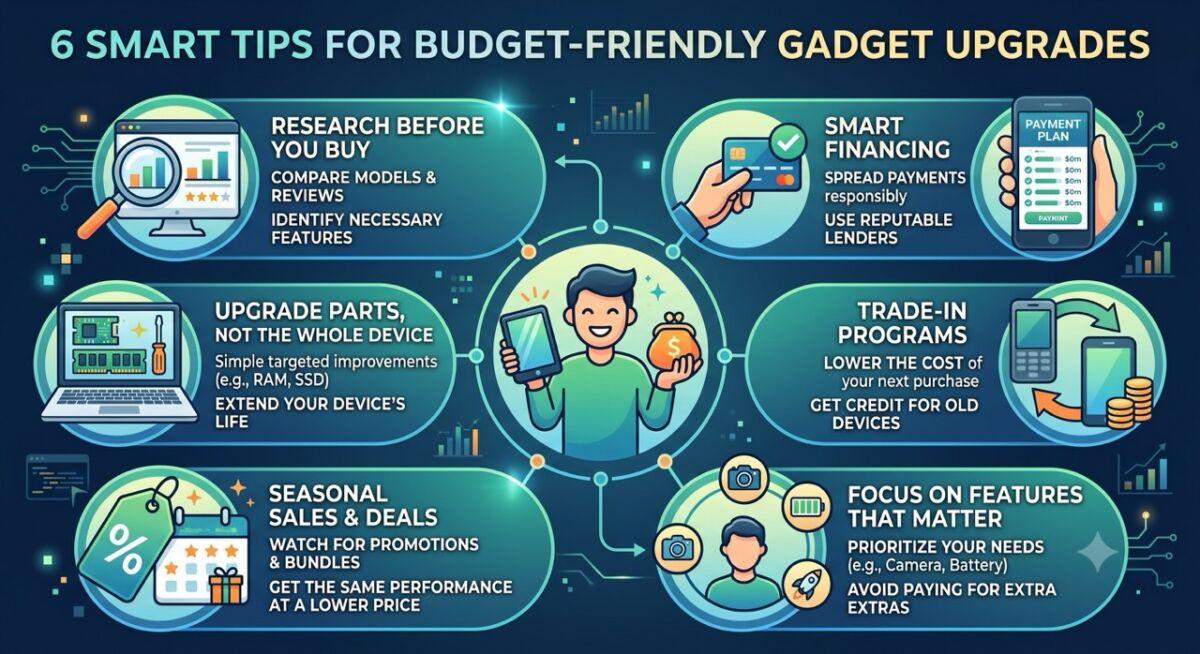
1. Research Before You Buy
The first step to upgrading smartly is doing your research. Take some time to compare different models and read reviews from reliable sources. Understanding the strengths and weaknesses of each option helps you avoid spending extra on features you won’t actually use. Research also makes it easier to spot older models that cost less but perform almost as well as the newest releases.
Looking at specs, user experiences, and pricing trends gives you a clearer idea of which device really fits your needs. It might take a little time, but doing your homework ensures you make an informed choice that balances performance, functionality, and value.
2. Spread Out Payments with Smart Financing
High-end gadgets can be expensive, but spreading out payments through smart financing can make upgrades more manageable. Options like installment plans, virtual credit lines, or low-interest personal loans let you enjoy new features without putting too much strain on your monthly budget. This way, you can get the device you need while keeping your finances under control.
That said, it’s important to choose lenders carefully. Many online platforms can be risky, so look for ones with proper accreditation. For example, a digital bank like Maya that is licensed by the Bangko Sentral ng Pilipinas complies with strict regulations, which means safer and more hassle-free transactions overall. As an added bonus, most digital banks offer lower borrowing fees compared to traditional banks since they operate with lower overhead costs.
If you’re looking for a powerful PC for video editing and gaming, you might consider funding it with a Maya Personal Loan. It lets you borrow up to Php 250,000, with a low 0.77% add on rate for a payment term of 24 months. Meanwhile, for smaller upgrades like a new hard drive or perhaps a new mid-range phone, Maya Easy Credit lets you borrow up to Php 50,000, payable within 30 days. It doesn’t charge any interest, but you have to pay a minimal service fee and a documentary stamp tax together with your borrowed amount within the deadline.
Overall, using a reputable lender keeps your payments secure while helping you manage the cost responsibly.
3. Take Advantage of Trade-In Programs
If your current device won’t be needed after you upgrade, consider trading it in to lower the cost of your next purchase. Many brands and stores offer cash credits when you turn in your old gadgets. Even outdated devices still hold some value, and that credit can go toward a new purchase, helping you get more for your money.
Trade-ins also offer an environmental benefit. They keep older electronics in circulation or ensure proper recycling, which helps reduce electronic waste. By taking advantage of these programs, you can upgrade responsibly while keeping your spending in check.
4. Focus on Features That Matter
Not every new feature is worth the extra cost. Think about what will make the biggest difference in your daily use. For example, if you mostly use your phone for social media and video calls, a better camera and longer battery life will be far more useful than a high-end processor meant for gaming. By focusing on the features that matter most, whether it’s speed, storage, or camera quality, you can avoid spending on extras you won’t actually use.
Prioritizing your needs ensures that your upgrade truly improves your experience rather than just adding flashy features. This way, you get a device that works for you without going over your budget.
5. Keep an Eye on Deals and Seasonal Sales
Both retailers and manufacturers run seasonal promotions, holiday sales, or bundle offers that make upgrading more affordable. Waiting for these opportunities can help you get the same performance improvements at a lower price, allowing you to enjoy the latest technology without overspending.
Waiting for and checking out these sales and comparing offers helps you make your purchase at the right time. Even a small discount or a bonus accessory can add value, letting you get more out of your money while still getting the features you actually need.
6. Upgrade Parts, Not the Whole Device
You don’t always need a completely new gadget to get better performance. Simple upgrades like adding memory, replacing a battery, or switching to a larger hard drive can give your device a noticeable boost at a fraction of the cost. For instance, if your laptop frequently runs out of storage space, upgrading to a larger SSD can make it run much faster without buying a brand-new unit. These targeted improvements extend the life of your current device.
Focusing on the parts that truly affect performance lets you enjoy smoother operation and more storage while keeping your upgrade costs in check. It’s a smart way to get the improvements you need while delaying a full upgrade until it’s absolutely necessary.
Level Up Without Breaking the Bank
Upgrading your gadgets doesn’t have to drain your wallet. Planning ahead, focusing on the features that matter most, and taking advantage of smart financing and trade-in programs can help you boost your device’s performance without overspending. Follow these tips, and your next upgrade can be both practical and easy on your budget.