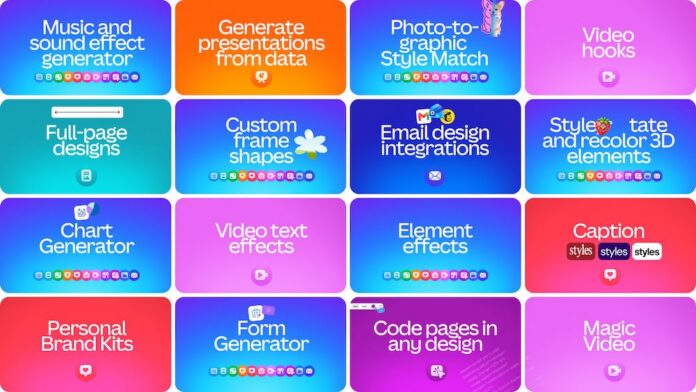

The latest updates span Docs, Presentations, Sheets, Whiteboards, Websites, and Video as Canva expands beyond design into everyday work and collaboration.
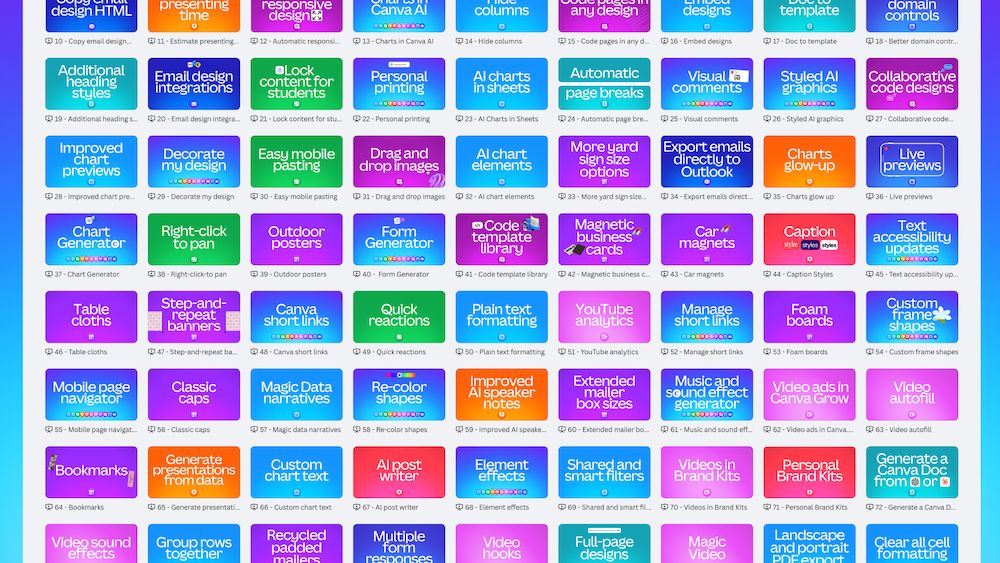
Canva has passed 100 Visual Suite feature launches since the start of 2026, extending its push into workplace productivity with new tools across Docs, Presentations, Sheets, Whiteboards, Websites, and Video.
More than 100 million people now use Canva Presentations each month, while adoption of Canva Docs has more than tripled over the past three years. More than one billion designs are created on Canva every month, including nearly 1,000 documents, 3,000 presentations, and 5,000 social media posts every minute.
“When we launched the Visual Suite, we were planting the seeds for a very different way of working, and a few years later those seeds have grown into a mighty forest,” said Cameron Adams, Canva co-founder and chief product officer.
“Today marks our 100th new feature launch this year alone, a pace of nearly one Visual Suite upgrade every other day. As we often say, we still feel like we’re only 1% of the way there, and we’re just getting started.”
The Philippines emerges as a major Canva market
The Philippines ranks among Canva’s biggest Visual Suite markets globally, particularly across Docs, Presentations, and Sheets.
More than 116 million presentations were created locally over the past year, while more than 72% of Filipino Canva users create on mobile. Nearly three in five Canva Presentations created in the Philippines begin on a mobile device, reflecting the increasingly mobile way many users work and collaborate.
Across Southeast Asia, more than half of Canva Presentations start on mobile, while mobile usage accounts for more than half of Visual Suite activity overall. Mobile adoption is growing fastest for Canva Websites, extending productivity work beyond traditional desktop and laptop environments.
One workspace for an entire project
Canva is also positioning the Visual Suite as a way for teams to manage different stages of work without moving between separate applications.
A project can begin as an idea on a Whiteboard, move into a brief in Docs, pull data and insights from Sheets, and eventually become a Presentation while staying within the same Visual Suite environment. The platform maintains the same interface and collaboration tools across formats, allowing content, data, and brand assets to stay connected throughout a project.
More than a quarter of a billion multi-format designs have been created since Canva introduced its newer unified format last year. Enterprise use is also expanding, with more than 98% of the Fortune 500 using Canva and enterprise adoption more than doubling year over year.
“Canva has become the globally distributed source of truth for our self-serve design system,” said Corey Pomkoski, senior director for brand and creative operations at DocuSign.
“By meeting users where they already work, we’ve empowered hundreds of marketers to create everything from ePublications and social ads to event promotions. Our small design team can now focus on building and evolving the system, not designing every pixel.”
Docs gets more visual
Canva Docs now includes new full-page designs that allow teams to move beyond traditional text layouts with edge-to-edge visual treatments.
Automatic page breaks and expanded style controls are also being added to help users turn working documents into more polished, presentation-ready outputs. Docs has become Canva’s third-most popular design type, with nearly 1,000 documents created every minute.
Sheets adds more AI and data tools
Canva Sheets is receiving more than a dozen updates covering formatting, customization, data analysis, and visualization.
New AI capabilities can analyze data and transform it into charts and tables that can be reused across Presentations and Docs. Public filters, hidden columns, and grouped rows provide additional ways to control what information is shared and how it is presented.
Whiteboards becomes more collaborative
Whiteboards is gaining streamlined panning, mobile pasting, and Follow Collaborators, which lets team members jump directly to where another person is working.
One-click reactions make it easier to give quick feedback during brainstorming and planning sessions, while Whiteboards can now be converted directly into a Presentation or Doc when teams are ready to move from ideation into execution.
Presentations adds delivery tools
Canva Presentations is also expanding beyond slide creation with features designed to help users prepare and deliver their decks.
An estimated presenting timer helps speakers manage pacing, one-click presenting allows users to begin a presentation immediately, and automatically generated presenter notes can turn a finished deck into a set of ready-to-use talking points. Presentations remains Canva’s fastest-growing design type, with nearly 3,000 created every minute.
Websites expands navigation and control
Canva Websites now supports navigation across up to 20 sections, along with expanded SEO tools, domain controls, and additional button options.
Nearly one million Canva Websites are published every month, while Canva Code has been used to create more than six million coded websites to date.
The latest Visual Suite features are available globally. More information is available through the Canva Visual Suite page.